Yoto Labels logo - Free Yoto card label generator
ShowcaseAboutFeedback
Yoto Labels logo - Free Yoto card label generator
Support the toolThanks so much!307267Support307267
HomeGuidesShowcaseAboutFeedback
David and Elias

Thanks for thinking of supporting us

David & Elias

Support the tool307267

On this sheet

  • Why Templates Got Frustrating
  • The Simpler Process
  • If You Want to Design From Scratch
  1. All Guides
  2. /Making labels

Yoto Card Templates

DavidDavid
·Updated August 2026
Yoto Card Templates

Watched a lot of parents in Facebook groups spend 15-20 minutes per card fighting with Canva templates or Google Slides. Some workflows work great for certain people. Others got frustrating fast.

Note

What I saw: Parents hunting for templates, resizing images to fit, re-exporting when dimensions were off, then doing it all again for the next card. The actual creative part—picking images their kids would love—took 2 minutes. The template setup took way longer.

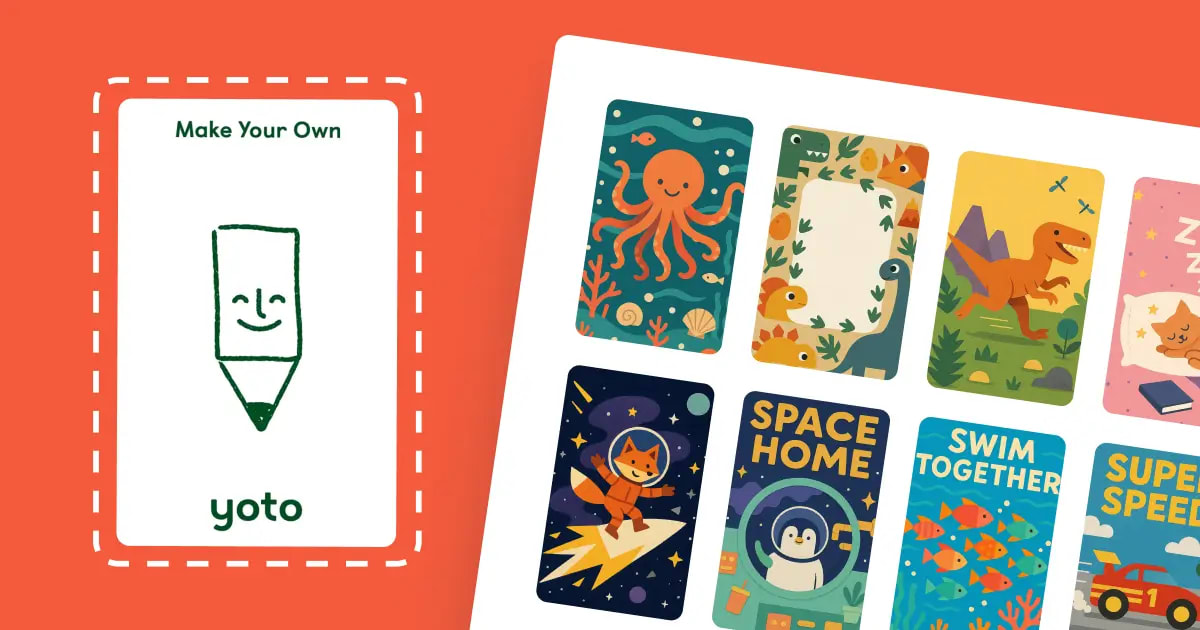
Built Yoto Labels to skip most of that process and get back to the fun part.

Why Templates Got Frustrating

Different parents use different tools:

  • Canva works if you're already familiar with it
  • Google Slides some parents swear by
  • Photoshop/Illustrator if you have them

The problem isn't the tool. It's the same repetitive steps every time:

The template process:

  1. Find or download a template
  2. Open in your design tool
  3. Import your image
  4. Resize and position to fit exactly
  5. Export with correct settings
  6. Check if it printed right
  7. Repeat for every single card

Total time: 10-15 minutes per card. Most of that is steps 3-6, which are identical each time.

The Simpler Process

Built this after watching my son wait while I fiddled with Canva for the third Saturday in a row.

How it works now:

  1. Upload one or multiple images
  2. Crop if you want to adjust framing
  3. Pick your paper format (Letter, A4, Legal, photo paper)
  4. Get print-ready PDF

Total time: 2 minutes per card. Everything runs in your browser—your images stay private, nothing uploads to a server.

Yoto Labels handles the 54mm × 85.6mm sizing automatically. You focus on picking images your kid will actually use.

If You Want to Design From Scratch

Some parents like designing custom layouts in Canva or other tools. That's totally valid—especially if you're making themed sets or adding text overlays.

Where to find templates:

Facebook Yoto groups share templates sometimes. Quality varies. Many are out of date or require email signup. Some are behind paywalls on blog posts.

If you find one that works for your workflow, use it. No wrong way to make labels.

Setting up your own template:

For Canva:

  • Set custom size to 54 × 85.6mm
  • Design your layout
  • Save as template for reuse
  • Full Canva tutorial here if you want step-by-step

For Photoshop/Illustrator:

  • New file: 54mm × 85.6mm at 300 DPI
  • Add 3mm bleed for edge-to-edge printing
  • Keep text at least 6mm from edges

For Google Slides:

  • Custom page size: 2.1" × 3.4"
  • Design slides as individual cards
  • Export as PDF

Yoto Labels is there if you want to skip the setup part. But if templates work for you, keep using them.
Next in making labels
Yoto Card Size & Dimensions

Yoto MYO card dimensions are 54mm × 85.6mm (2.1\" × 3.4\" in inches). Get exact Yoto card measurements for Canva, plus a free tool that auto-sizes labels.

→
Also worth a look
  • Yoto Label Size Guide→
  • Yoto Label Templates→
Free Yoto label maker

Make printable MYO labels

Add an image or pick a template. Get a PDF sized for Yoto cards, ready to print at home.

Create Labels →

Hi, I'm David. I built this free tool for my kid's MYO cards. Add a pic or pick a template, print a PDF that actually fits.

Make some labels →

The tool

  • Make labels
  • See what others made
  • Browse the guides

How-tos

  • Using the tool
  • Getting started with MYO
  • Making labels at home
  • Organizing your cards

Around here

  • Why this exists
  • Send feedback
  • Buy me a coffee
  • Privacy
© 2026 YotoLabels.comNot affiliated with Yoto Ltd.
Yoto Labels logo - Free Yoto card label generator
ShowcaseAboutFeedback
Yoto Labels logo - Free Yoto card label generator
Support the toolThanks so much!307267Support307267
HomeGuidesShowcaseAboutFeedback
David and Elias

Thanks for thinking of supporting us

David & Elias

Support the tool307267

On this sheet

  • Why Templates Got Frustrating
  • The Simpler Process
  • If You Want to Design From Scratch
  1. All Guides
  2. /Making labels

Yoto Card Templates

DavidDavid
·Updated August 2026
Yoto Card Templates

Watched a lot of parents in Facebook groups spend 15-20 minutes per card fighting with Canva templates or Google Slides. Some workflows work great for certain people. Others got frustrating fast.

Note

What I saw: Parents hunting for templates, resizing images to fit, re-exporting when dimensions were off, then doing it all again for the next card. The actual creative part—picking images their kids would love—took 2 minutes. The template setup took way longer.

Built Yoto Labels to skip most of that process and get back to the fun part.

Why Templates Got Frustrating

Different parents use different tools:

  • Canva works if you're already familiar with it
  • Google Slides some parents swear by
  • Photoshop/Illustrator if you have them

The problem isn't the tool. It's the same repetitive steps every time:

The template process:

  1. Find or download a template
  2. Open in your design tool
  3. Import your image
  4. Resize and position to fit exactly
  5. Export with correct settings
  6. Check if it printed right
  7. Repeat for every single card

Total time: 10-15 minutes per card. Most of that is steps 3-6, which are identical each time.

The Simpler Process

Built this after watching my son wait while I fiddled with Canva for the third Saturday in a row.

How it works now:

  1. Upload one or multiple images
  2. Crop if you want to adjust framing
  3. Pick your paper format (Letter, A4, Legal, photo paper)
  4. Get print-ready PDF

Total time: 2 minutes per card. Everything runs in your browser—your images stay private, nothing uploads to a server.

Yoto Labels handles the 54mm × 85.6mm sizing automatically. You focus on picking images your kid will actually use.

If You Want to Design From Scratch

Some parents like designing custom layouts in Canva or other tools. That's totally valid—especially if you're making themed sets or adding text overlays.

Where to find templates:

Facebook Yoto groups share templates sometimes. Quality varies. Many are out of date or require email signup. Some are behind paywalls on blog posts.

If you find one that works for your workflow, use it. No wrong way to make labels.

Setting up your own template:

For Canva:

  • Set custom size to 54 × 85.6mm
  • Design your layout
  • Save as template for reuse
  • Full Canva tutorial here if you want step-by-step

For Photoshop/Illustrator:

  • New file: 54mm × 85.6mm at 300 DPI
  • Add 3mm bleed for edge-to-edge printing
  • Keep text at least 6mm from edges

For Google Slides:

  • Custom page size: 2.1" × 3.4"
  • Design slides as individual cards
  • Export as PDF

Yoto Labels is there if you want to skip the setup part. But if templates work for you, keep using them.
Next in making labels
Yoto Card Size & Dimensions

Yoto MYO card dimensions are 54mm × 85.6mm (2.1\" × 3.4\" in inches). Get exact Yoto card measurements for Canva, plus a free tool that auto-sizes labels.

→
Also worth a look
  • Yoto Label Size Guide→
  • Yoto Label Templates→
Free Yoto label maker

Make printable MYO labels

Add an image or pick a template. Get a PDF sized for Yoto cards, ready to print at home.

Create Labels →

Hi, I'm David. I built this free tool for my kid's MYO cards. Add a pic or pick a template, print a PDF that actually fits.

Make some labels →

The tool

  • Make labels
  • See what others made
  • Browse the guides

How-tos

  • Using the tool
  • Getting started with MYO
  • Making labels at home
  • Organizing your cards

Around here

  • Why this exists
  • Send feedback
  • Buy me a coffee
  • Privacy
© 2026 YotoLabels.comNot affiliated with Yoto Ltd.